How to find and fix compromised passwords with ExpressKeys


Alongside helping you manage your passwords, ExpressKeys can flag potential password security issues through its Password Health feature. It’s included with ExpressVPN’s Advanced and Express Pro plans and is also available as a standalone subscription through the ExpressKeys apps for iOS and Android.
Compromised passwords are a serious risk. Someone with your login details may gain unauthorized access to online accounts, leading to account takeover, identity theft, financial loss, and more. ExpressKeys helps you identify passwords with security issues and generate and store strong, unique replacement passwords to improve the security of your accounts.
Check your Password Health with ExpressKeys
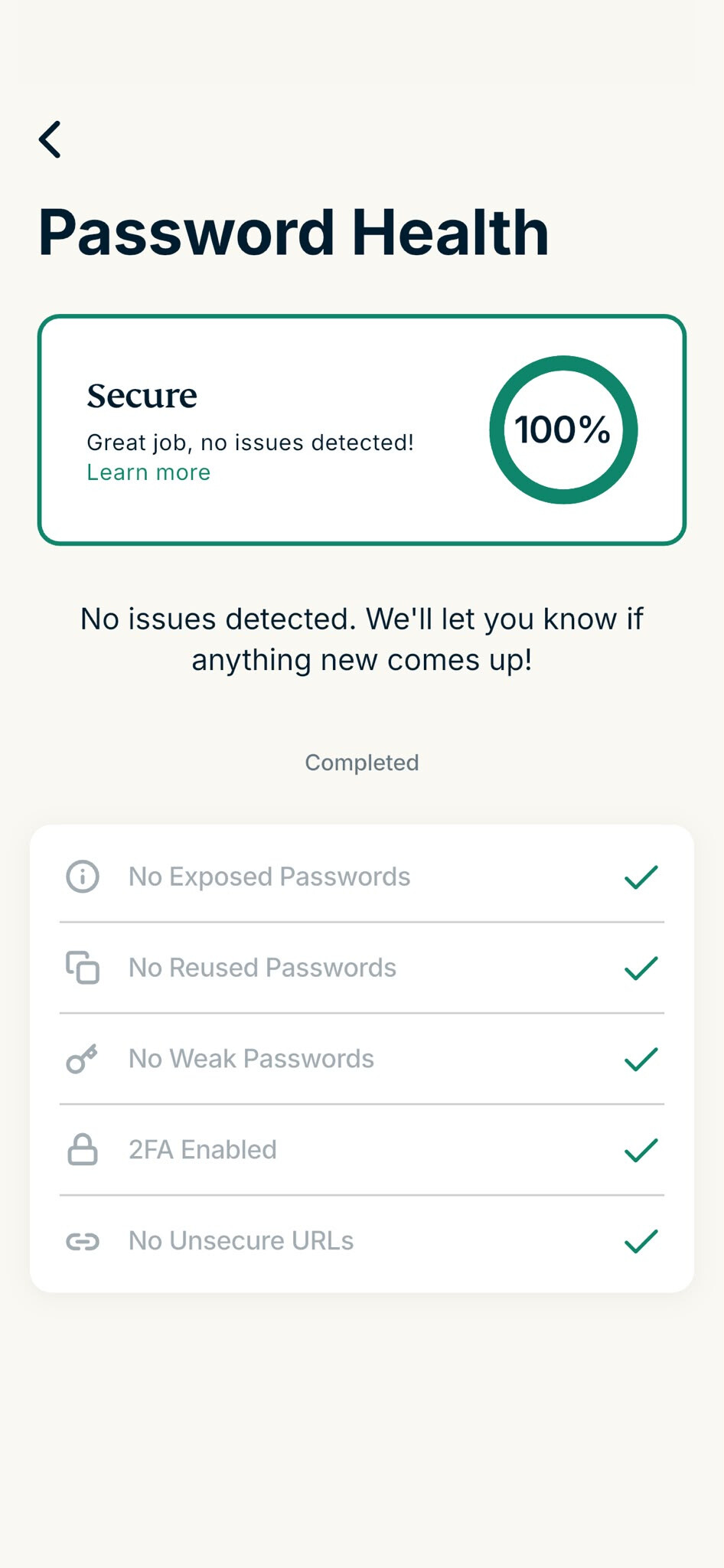
The ExpressKeys Password Health feature can help you find compromised passwords. It automatically checks passwords stored in your vault and flags the following:
-
Exposed passwords: Passwords that have appeared in known data breaches tracked by HaveIBeenPwned.
-
Reused passwords: Passwords used by more than one login saved in ExpressKeys.
-
Weak passwords: Passwords that are more susceptible to password cracking, guessing, or brute-force attacks.
-
Two-factor authentication (2FA) not set up: Accounts for which you haven’t saved 2FA codes in ExpressKeys.
-
Unsecure URLs: Logins linked to website URLs that use HTTP to transmit data instead of the more secure HTTPS.
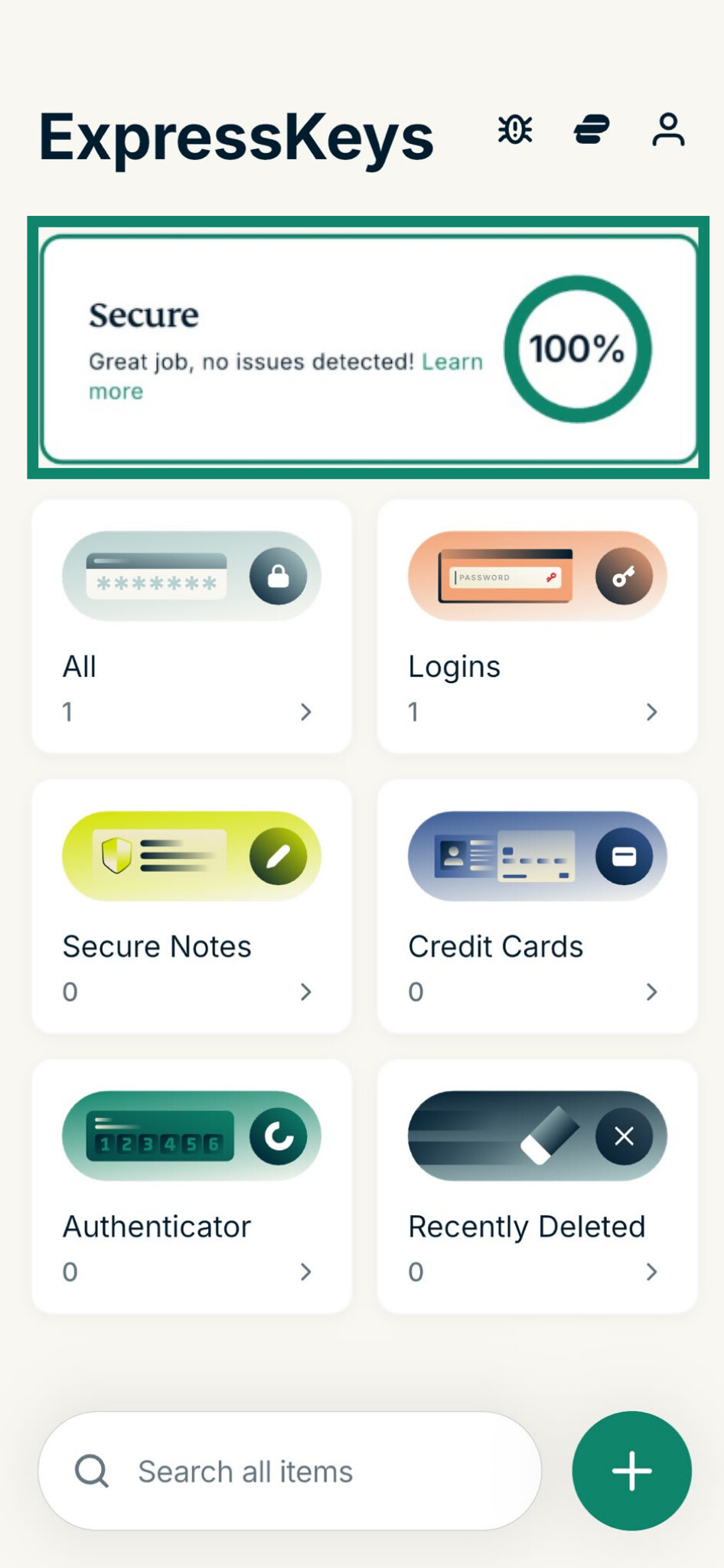
You can access Password Health by opening the ExpressKeys app and clicking the status bar at the top of the screen:
If your passwords are in good shape, Password Health will show that your passwords are secure.
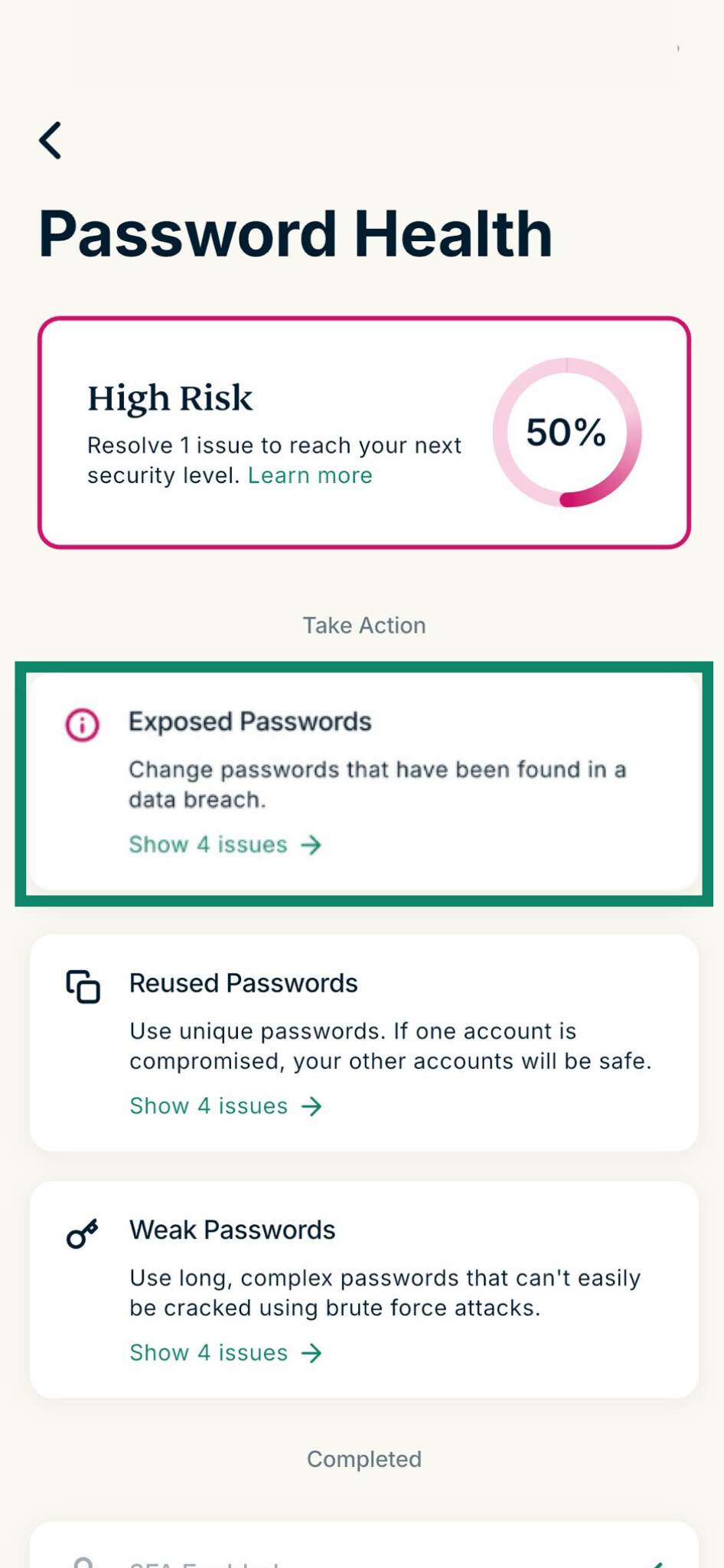
If one or more of your passwords have security issues, Password Health will display a warning.
ExpressKeys is available as a browser extension for Chrome, Brave, Edge, and Firefox, and as a mobile app for iOS and Android, so you can manage your passwords on mobile and desktop.
How to fix password issues with ExpressKeys
If Password Health flags a password issue, select the option to view which accounts have been affected. You’ll need to address each one, but prioritize those that could have the biggest impact if compromised:
- Primary email account
- Financial accounts
- Work accounts
- Apple, Google, or Microsoft accounts
- Health or government service accounts
Your primary email is especially important because it’s often linked to other accounts. If an attacker compromises your email, they could use password-reset links, account recovery emails, or authentication codes sent to your inbox to gain access to other services.
Change exposed, reused, and weak passwords
Go to each flagged account’s website or app and find its password or security settings. Select the option to change your password, enter your current password if prompted, and then use ExpressKeys to generate a strong, unique replacement. Save the new password on the website and make sure to save the updated login to your ExpressKeys vault.
In the password generator, you can choose:
- A length from 8 to 55 characters
- Whether to include uppercase letters
- Whether to include numbers
- Whether to include symbols
Depending on the issue ExpressKeys identifies, you may need to take additional steps after generating a new password to secure your logins:
- If you suspect someone has accessed your account, sign out of active sessions on the exposed account and revoke access to any unrecognized devices after logging back in.
- Review the account’s recovery email address and phone number to make sure they haven’t been changed without your knowledge.
- Check the other passwords stored in your ExpressKeys vault. If you’ve reused a password or used a variation of an exposed password on other accounts, generate new passwords for those accounts, too.
Enable two-factor authentication (2FA)
ExpressKeys can store and generate 2FA codes for compatible services, so you should enable 2FA on those services for extra protection. Navigate to the website or app’s security settings, then add the service to ExpressKeys using the setup key or QR code it provides.
Use HTTPS when available
If ExpressKeys flags an unsecure URL, check whether there’s an HTTPS version of the website. If there is, use that version instead, and update the saved login URL in ExpressKeys to remove the warning.
You should also follow the steps for changing an exposed password, as your login credentials could have been intercepted when they were sent over an unencrypted HTTP connection.
How to reduce password security risks with ExpressKeys
Effective use of ExpressKeys can help reduce the risk of future password compromise:
- Generate strong, unique passwords for new accounts. Knowing when to change your passwords can also help you maintain better account security.
- Use its autofill function to reduce the temptation of reusing passwords or using weak, easy-to-remember passwords.
- Check Password Health regularly to spot new issues, such as passwords exposed by new data breaches.
- Switch to passkeys where available. ExpressKeys can create, store, and manage passkeys for compatible services, removing the need to rely on passwords for future sign-ins.
- Secure your ExpressKeys vault with a strong vault password to prevent unauthorized access to your stored credentials.
Could your saved passwords be putting your accounts at risk?
ExpressKeys identifies exposed, reused, and weak passwords, helping you spot security issues before they lead to account compromise.
Check your password health with ExpressKeys
Standalone ExpressKeys subscriptions include a free trial for new users.