

What is a VPN? Meaning, how it works, & real-world benefits
A virtual private network (VPN) encrypts your connection for private browsing, data protection, and secure access to your accounts wherever you go
- Stop ISP tracking by encrypting your connection data
- Protect your personal data on any network, including public Wi-Fi
- Maintain access to your accounts and home services while traveling
30-day money-back guarantee*
*for first-time users
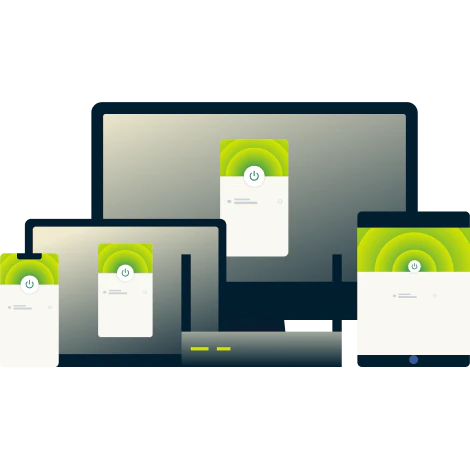
What is a virtual private network?
Learn what a VPN is with our beginner-friendly video guide (90-second video)

What does a VPN do for you?
Secure your internet connection and take control of your digital footprint
Secure your internet connection everywhere
Every time you connect, whether for chatting with friends, paying bills, gaming, or streaming, your data travels through networks you don’t control.
Using a VPN lets you take back control. It encrypts your connection, making your data unreadable to outsiders. This protects it from prying eyes—hackers, advertisers, even your internet provider—wherever life takes you.

Stay connected to your favorite content
Watch top movies, binge the latest hits, and experience live sporting events in high quality, without annoying connection hiccups or error messages getting in your way.
A quality VPN supports reliable streaming through optimized servers in multiple locations. Fast, lightweight protocols help maintain your speeds, while regularly verified VPN server IP addresses provide consistent privacy as you watch your favorite streaming platforms.

Hide your IP address and activity from tracking
Many ISPs and online platforms log every site you visit, every video you watch, and every search you make. Without protection, this data can be sold to advertisers who build detailed profiles about your habits and interests.
A VPN encrypts your browsing activity so your ISP can’t monitor you. It also masks your IP address with an anonymous, shared VPN IP address, thereby preventing trackers from accurately following your every step across the web. With a VPN, you get to use the internet with more control over who sees your personal data.
Protect your data on public Wi-Fi
Using public Wi-Fi at the airport or coffee shop is convenient. But unsecured networks like these can leave your connection exposed. Your connection may be vulnerable to hackers who can intercept your passwords and personal information.
A VPN shields your connection with powerful encryption, keeping your data safe from attackers on any network. Connect with confidence to Wi-Fi hotspots while commuting, traveling, or working remotely.
Who should use a VPN?
Anyone who goes online can benefit from the security and privacy a VPN provides
-
![Remote Working@2x]()
Remote workers and digital nomads
Security isn’t optional when you work from home, in coworking spaces, or on public Wi-Fi around the world.
ExpressVPN keeps your online business activity secure with advanced protection and a kill switch that shields your data if your connection unexpectedly drops.
-
![Book Like A Local@2x]()
Frequent travelers and expats
Maintaining safe, consistent access to your essential home services while abroad is easy with a VPN.
ExpressVPN routes your internet traffic through secure local servers, letting you browse like a local without triggering the security flags that often come with using a foreign IP address.
-
![Smooth Streaming@2x 8]()
Gamers and streamers
Internet providers often limit bandwidth, causing slow speeds and interruptions while streaming or gaming.
ExpressVPN’s encryption helps you avoid this selective throttling, giving you faster, more stable gameplay and streaming sessions.
-
![Advanced Protection@2x]()
Privacy-conscious users
A VPN limits what advertisers and data brokers can see by masking your IP address with a shared, anonymous IP address to let you blend in to the crowd.
Whether you’re guarding your personal data or just value your anonymity, ExpressVPN helps you take back control of your online privacy.

Watch: Why you should use a VPN
What are VPNs for? Discover how they help with secure access, privacy, travel, and more

How does a VPN work?
ExpressVPN is engineered to keep your connections secure and private
-
![Image 1]()
VPN tunneling and encryption explained
When you connect to ExpressVPN, your internet traffic is shielded inside a secure, encrypted tunnel between your device and a VPN server.
This encryption prevents anyone, whether hackers, ISPs, or network admins, from seeing what you do online, by changing your data into unreadable text.
Your connection stays private, giving you more control over your digital footprint.
-
![Image 2]()
How VPN protocols secure your traffic
set the rules for how your data travels safely through the secure tunnel. Some are built for speed, others for rock-solid security.
ExpressVPN offers the perfect balance of both. Our proprietary Lightway protocol provides fast, stable connections across networks, and keeps you protected.
You can browse, stream, and game with peace of mind wherever you connect.


-
![Image 3]()
What a VPN server is and how it protects you
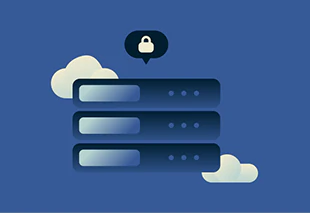
A VPN server is a secure relay point between your device and the internet. Instead of connecting directly to websites, the VPN routes your traffic through this server, which encrypts your data and masks your IP address with its own.
Every ExpressVPN server also uses private, zero-knowledge DNS. DNS is the system that translates website names into numerical addresses.
-
![Image 4]()
Without a VPN vs. with a VPN: what changes?
Going online without a VPN (or using a free one) puts your privacy at risk. ISPs and other third parties can track your activity, and hackers target unprotected connections. Free VPNs can make things worse by logging and selling your browsing history or exposing you to data leaks.
ExpressVPN keeps your activity private with a strict no-logs policy and independently audited infrastructure. Industry-leading encryption protects your connection from hackers, while built-in security features block trackers and malicious sites.

Types of VPNs explained
ExpressVPN simplifies online security for individuals and business users
-
![Personal VPNs for individual users A personal VPN provides a simple and empowering way to improve your online security and privacy. With one Expres...]()
Personal VPNs for individual users
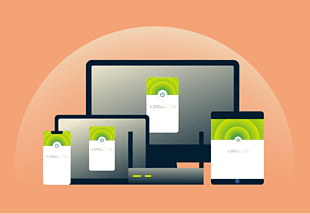
A personal VPN provides a simple and empowering way to improve your online security and privacy. With one ExpressVPN subscription, you can protect up to 14 devices at the same time.
-
![Mobile VPNs for phones and tablets You may rely on mobile data one moment and café Wi-Fi the next. These constant switches can expose your informa...]()
Mobile VPNs for phones and tablets
You may rely on mobile data one moment and café Wi-Fi the next. These constant switches can expose your information. ExpressVPN’s iOS and Android apps help keep your connection safe and stable on the go and on untrusted networks.
-
![Remote-access VPNs for work and teams A remote-access VPN connects you securely to company networks, protecting sensitive data outside the office. ...]()
Remote-access VPNs for work and teams
A remote-access VPN connects you securely to company networks, protecting sensitive data outside the office. ExpressVPN for Teams makes this process easy with multiple licenses that secure all staff devices while minimizing setup complexity.

-
![Site-to-Site VPNs for offices A site-to-site VPN links different company locations through a secure, encrypted tunnel. This lets teams share resour...]()
Site-to-Site VPNs for offices
A site-to-site VPN links different company locations through a secure, encrypted tunnel. This lets teams share resources and communicate as if they were in the same office, making collaboration easier for multi-office businesses. It’s a cost-effective and reliable way to keep data safe and networks connected across locations.
-
![Cloud-based VPNs for modern businesses A cloud-based VPN offers secure access to cloud applications and services with strong encryption. These VPNs...]()
Cloud-based VPNs for modern businesses
A cloud-based VPN offers secure access to cloud applications and services with strong encryption. These VPNs are managed by cloud providers and many include protections that can mitigate DDoS attacks and other threats, helping to keep your cloud workloads safe.
-
![VPN gateways for secure networks For organizations managing complex systems or external partnerships, a VPN gateway brings control and clarity. Act...]()
VPN gateways for secure networks
For organizations managing complex systems or external partnerships, a VPN gateway brings control and clarity. Acting as a secure checkpoint, it handles all encrypted traffic between networks and ensures data stays protected as it travels between offices, partners, or datacenters.

Advanced VPN concepts (for power users)
Explore the advanced technology behind ExpressVPN’s speed, security, and reliability
Protocol Landscape at a Glance
OpenVPN (UDP/TCP): Widely trusted and flexible open-source protocol. Balances speed and security, works on most devices.
IKEv2/IPSec: Popular for mobile devices due to fast reconnection when switching networks.
Lightway: ExpressVPN’s proprietary protocol designed for fast speeds, reliability, and ease of use across all devices.
WireGuard: Modern, lightweight, and secure open-source protocol supported by many VPN providers.
L2TP/IPSec & PPTP: Legacy protocols. PPTP is outdated and less secure, L2TP/IPSec offers better encryption but slower speeds. Not recommended for use with sensitive data.
SSTP: Microsoft-developed protocol using SSL for secure connections, mostly used on Windows for bypassing firewalls.
Traffic Integrity & Leak Protection
256-bit AES encryption: Industry-leading security standard used by ExpressVPN that changes your data so only authorized parties can read it.
Authentication & handshake: Protocol mechanisms that verify VPN server and client identity before connections start, preventing unauthorized access.
Perfect Forward Secrecy (PFS): ExpressVPN generates a new encryption key for each session, so captured data cannot be decrypted even if keys are compromised later.
DNS protection/private DNS: Prevents ISPs or attackers from seeing what websites you visit by resolving domain names within the VPN’s secure servers. ExpressVPN uses its own private, encrypted DNS to protect both your internet traffic and your DNS lookups.
Kill switch: ExpressVPN's Network Lock is a kill switch designed to automatically cut your internet traffic if your connection drops, to prevent leaks of unencrypted data.
Leak testing: Tools built into apps or online services check for WebRTC, IP address, or DNS leaks to ensure your real identity stays hidden.
Handling Network Restrictions (Obfuscation & Reliability)
ExpressVPN can automatically obfuscate your connection to make VPN traffic look like normal internet traffic. This helps prevent detection or blocking by networks that restrict VPN usage. The VPN app activates obfuscation when it detects that the network is interfering with standard VPN connections, helping maintain a stable and secure link in heavily filtered environments.
Routing Choices: Shared IPs, Multi-Hop, and Dedicated IP
Shared IPs: Multiple users share the same IP address, enhancing privacy by blending traffic into a crowd.
Multi-hop: Routes your connection through two or more VPN servers, adding extra layers of encryption and privacy, but may negatively impact speed.
Dedicated IP: ExpressVPN offers dedicated IP addresses—static, unique IPs that stay the same every time you connect. They’re tied to a specific VPN location, making it easier to access work resources remotely and avoid constant CAPTCHAs.
ExpressVPN also offers split tunneling, which gives you more control over how your traffic flows. You can choose to route some apps through the VPN for privacy while letting other traffic go unencrypted for maximum speed.
Performance & Benchmarking
Speed and performance depend on several factors, including your VPN protocol, distance from the server, and how efficiently your internet provider routes traffic. If those routes are congested, you might notice a drop in speed.
ExpressVPN minimizes these effects. Smart Location automatically connects you to the fastest server for your area, and the Lightway protocol keeps your connection stable and responsive—so any slowdown is barely noticeable.
How to test: Run a speed test before and after connecting to the same VPN server at similar times. ExpressVPN’s mobile apps include a built-in speed test for quick comparison.
Enterprise Terms, Briefly
VPN Gateways vs. Concentrators: Gateways are connecting points between networks, while concentrators manage multiple VPN connections simultaneously for scalability.
Remote-access VPN vs. Site-to-site VPN: A remote-access VPN lets individual employees securely connect to corporate networks from anywhere, while a site-to-site VPN connects entire office networks via encrypted tunnels.
SASE/ZTNA: Newer security architectures combining networking and access control in the cloud, designed for zero-trust environments.
Why choose ExpressVPN?
Get back to browsing, streaming, and working online with added peace of mind

Server locations in 113 countries
Need to access your accounts while traveling abroad? Want fast speeds whether you're in Tokyo or Toronto? ExpressVPN's network spans 214+ locations, giving you reliable connections wherever you go.
The app’s Smart Location feature recommends the best VPN server based on distance, speed, and availability. You can also manually choose from thousands of VPN servers worldwide.
TrustedServer technology (RAM-only servers)
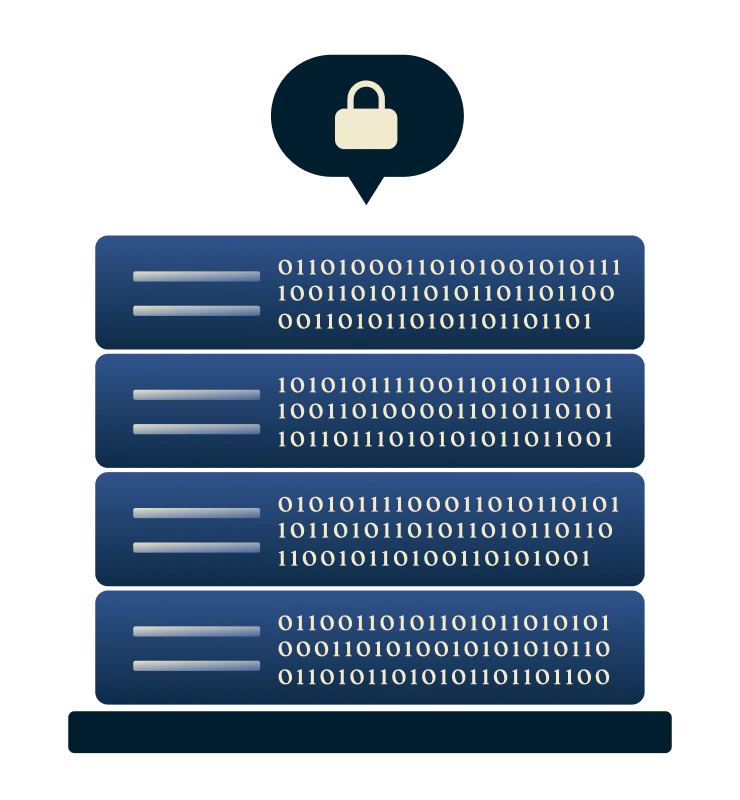
Traditional VPN servers write data to hard drives, where information can persist even after it should be gone. This creates unnecessary security and privacy risks.
ExpressVPN's entire network runs on RAM-only servers managed with TrustedServer technology. Every server reboot completely wipes all server information—no traces, no vulnerabilities left behind.

Lightway protocol for speed and security
Most VPN protocols force you to choose between speed and security. ExpressVPN’s proprietary Lightway protocol delivers both without compromise.
It's fast, lightweight, and designed for minimal battery drain on mobile devices while using robust encryption to keep your connection secure. You get dependable protection that reconnects instantly when switching networks, wherever you go.

Independently audited no-logs policy
You shouldn't have to take a company's word on privacy. Many VPNs claim they don't log your data, but few can prove it.
ExpressVPN’s no-logs policy undergoes regular independent audits with firms like KPMG and PwC. These audits confirm we don’t collect or store your browsing activity, connection logs, or identifying information.

24/7 live chat support and easy setup
Whether you’re new to VPNs or a seasoned user, ExpressVPN makes setup quick and simple with easy-to-use VPN apps on every device.
Could use some extra help? You don’t need to endlessly scroll for answers, or wait for an email reply. Our friendly support team is available 24/7 via live chat to help you get started or troubleshoot in minutes.
Free VPN vs. paid VPN: Why it matters
Free VPNs often compromise your privacy, while ExpressVPN protects it by design
-
![Expressvpn Loading@2x]()
What ExpressVPN does better: Privacy, speed, and trust
Free VPNs cut corners to stay free. Many track your activity, slow down your connection with overcrowded servers, sell your data to make money, or inject intrusive ads into your browsing.
A paid VPN isn’t incentivized to compromise your privacy for profit. ExpressVPN uses industry-leading encryption, operates a verified no-logs policy, and invests in optimized servers that deliver fast, reliable speeds.
-
![Full Features@2x]()
Free proxy: What is it and is it safe?
A proxy hides your IP address by rerouting your traffic, but most don’t encrypt your data, leaving your information vulnerable to surveillance and cyber threats.
Proxy vs. VPN? ExpressVPN delivers far stronger protection. It encrypts all your internet traffic, and includes an Ad Blocker, Password Manager, Parental Controls, and Threat Manager for added safety and control.

Use ExpressVPN across all your devices
Install ExpressVPN on multiple devices and use it on up to 14 at the same time


Get a VPN in 3 easy steps with ExpressVPN
It’s simple to download and install a VPN on any device
-
![How to sign up for ExpressVPN]()
-
![Download App@2x 4]()
Step 2
Download the ExpressVPN appDownload the VPN app
to your devices; ExpressVPN supports most well-known operating systems.
-
![Get A Private Ip Address@]()
Step 3
Connect to a VPN server and browse privately
Sign in and choose a VPN server location to surf the web securely and privately.

What people are saying about ExpressVPN
Join the thousands of satisfied customers who trust ExpressVPN
I have ExpressVPN on all my devices - phone, laptop, tablet, AppleTV, etc., and absolutely love it.


* A sample of reviews from our most satisfied customers
Got an account with @expressvpn yesterday. Great decision for traveling out of the country!
@D_Geiger

* A sample of reviews from our most satisfied customers
With its consistent performance and reliable security, ExpressVPN is the best VPN out there.

* We sometimes pay expert sites for customer referrals
FAQs: About virtual private networks
What is VPN used for and everything else you need to know
What is a VPN and how does it work?
A VPN (virtual private network) encrypts your internet traffic and hides your IP address. By routing your data through a secure server, it protects your online privacy and prevents unauthorized access. VPNs also allow you to access content safely, whether you’re at home, traveling, or using public Wi-Fi.
What does VPN mean?
A virtual private network definition describes a VPN as a secure, private connection over the internet. It encrypts your online traffic, keeping hackers, advertisers, and other snoopers out. VPNs also hide your IP address, so you can safely access content from anywhere.
What are the different types of VPN?
The main types include remote-access VPNs (for individuals), site-to-site VPNs (for businesses), and cloud-based VPNs. ExpressVPN is a remote access VPN built for personal data privacy and secure browsing, using industry-standard encryption to protect your connection on any device.
What is the purpose of VPN?
A VPN purpose is to protect your privacy by encrypting your internet traffic and masking your IP address. This secures your personal data, even on public Wi-Fi. VPNs also safeguard sensitive information, such as banking details, from cyber threats like hackers or data breaches.
What is a VPN connection?
A VPN connection is the secure, encrypted link established between your device and a VPN server. This protects your internet traffic from being intercepted or monitored. With ExpressVPN, this happens in seconds using advanced protocols like Lightway for speed and reliability.
What is the difference between a proxy and a VPN?
A proxy server reroutes your internet traffic, and masks your IP address but doesn't encrypt your data. A VPN like ExpressVPN offers comprehensive security by encrypting all your traffic. Proxies are only suitable for simple tasks, VPNs provide robust protection against cyber threats, making them ideal for privacy-conscious users.
Is a VPN safe to use?
Yes, VPNs are safe but only if you choose a trustworthy provider. ExpressVPN is built on trustworthy principles, it uses TrustedServer technology that doesn’t write to disk, and has an independently audited no-logs policy to verify we will not—and cannot—log, share, or sell your data.
How much does a VPN cost?
VPN costs vary based on the provider and plan. Monthly subscriptions typically range from $5 to $15. ExpressVPN offers a range of subscription tiers and all new subscribers can benefit from our 30-day money-back guarantee, so you can test all our premium features risk-free.
Is using a VPN legal?
Yes, using a VPN is legal in most countries. Many people and businesses use VPNs every day to protect their personal and financial data, secure public Wi-Fi connections, and maintain online privacy. However, a VPN should always be used responsibly and in compliance with local laws.
Get started with ExpressVPN today
All new customers can try all our premium features risk-free with our 30-day money-back guarantee*. It’s like a VPN trial, only better.
*Users who purchased their subscriptions through the Apple App Store (iTunes) or the Google Play Store do not have access to the ExpressVPN 30-day money-back guarantee. Instead, users can request refunds through the App Store or Play Store, at Apple’s or Google’s discretion.