MyLife opt-out guide: How to remove your personal information step by step


If you’ve searched your name online and found a profile on MyLife that you didn’t create, you’re not alone. Many people don’t know they’re on it until one appears in search results.
This guide explains how to find your MyLife listing, submit an opt-out request, and reduce your exposure on similar sites.
What is MyLife?
MyLife is a people-search and data broker site that automatically aggregates personal information and turns it into searchable profiles on adult individuals primarily in the U.S.
Founded in 2002 as Reunion.com, a site for reconnecting with old friends and classmates, MyLife rebranded in 2008 after merging with Wink.com. Wink was a search engine built around scraping personal data from across the web, and the merger marked MyLife's shift toward aggregating and monetizing personal information.
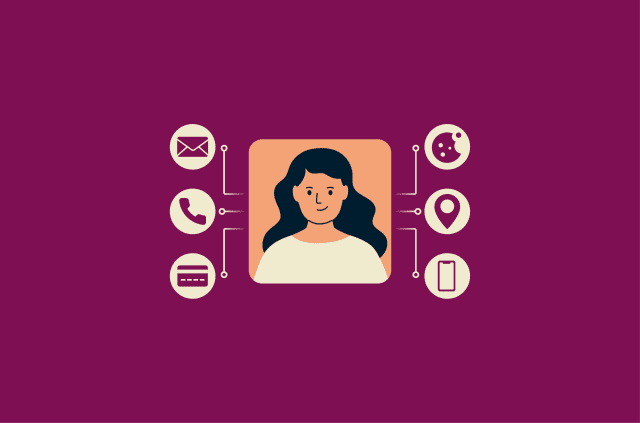
A typical profile on MyLife can include a full name, current and past addresses, phone numbers, email addresses, age, date of birth, relatives, neighbors, and employment history. Profiles can also show traffic offenses, felony and conviction records, bankruptcies and liens, civil judgments, lawsuits, marriage and divorce records, property and asset records, and income and education information.
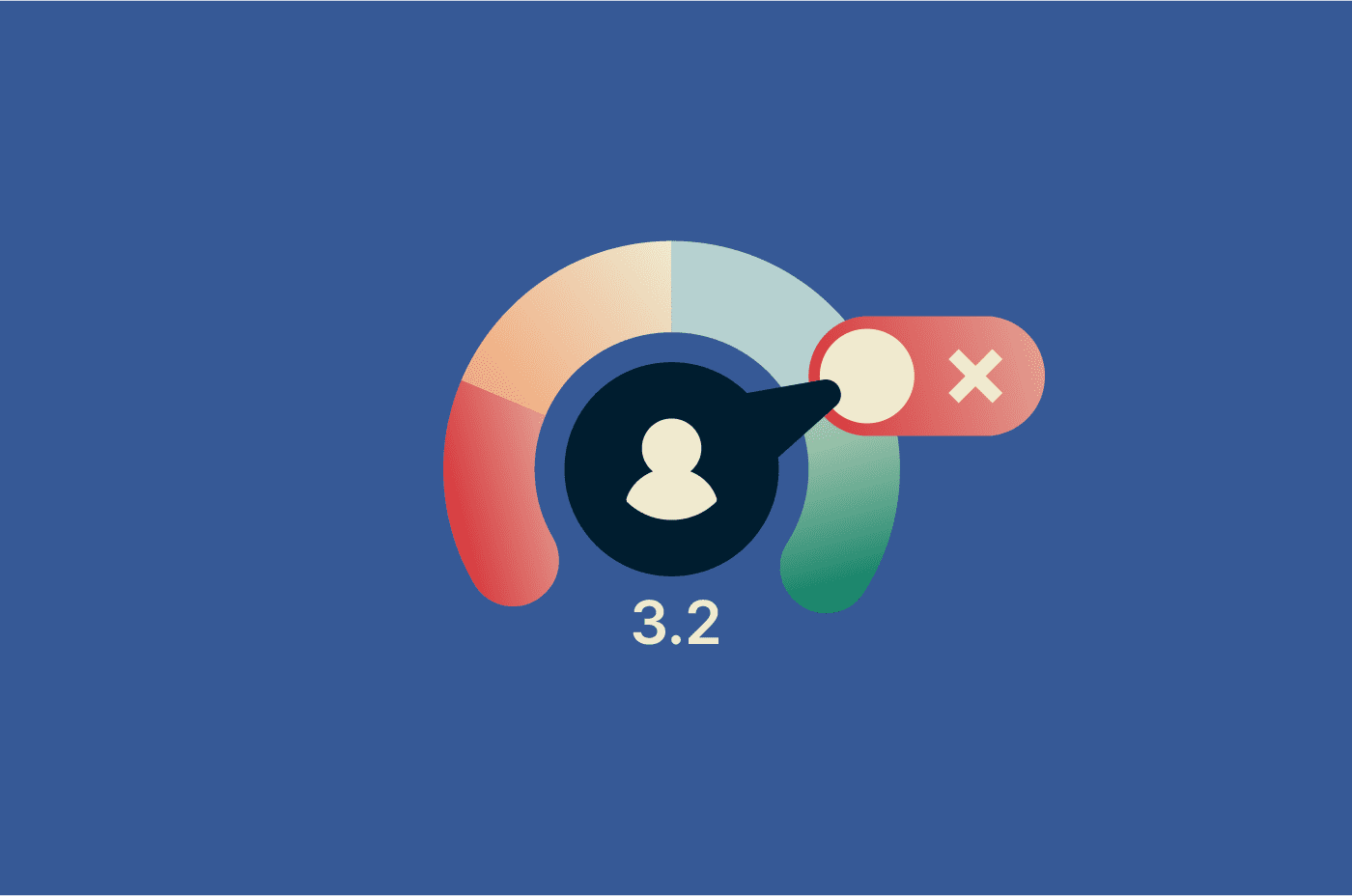
The site also assigns each profile a Reputation Score, a number from 0 to 5 that it says is based on those background details, social media posts, and personal (usually anonymous) reviews that anyone can leave on another person’s profile. However, the full scoring criteria aren’t published.
How MyLife collects personal data
MyLife states on its website that it collects information from publicly available sources, including government records and social media profiles with public visibility. Beyond that, MyLife has also allegedly purchased public record data directly from data brokers, according to the Federal Trade Commission’s (FTC) complaint filed against the company in 2020.
The company doesn’t specifically say whether it purchases information from third parties; it does confirm in its privacy policy that it uses personal information from third-party data brokers, either to verify and improve records it already holds or to add new information it didn't have before.
Because MyLife mostly compiles this information rather than generating it, profiles aren't verified for accuracy. The site itself states that it "cannot fully guarantee" the accuracy of its listings.
Why your information appears on MyLife
Your information appears on MyLife because you have publicly available information attached to your name. When you buy a home, your property record becomes public. When you register to vote, your registration enters a public database. When you're named in a court filing, that document becomes publicly accessible.
MyLife pulls from all of these sources automatically: you don't need to create an account, submit any information, or interact with the site for a listing to exist. MyLife says the site has "over 325 million Reputation Profiles with information about almost everyone in America, 18 years old and over."
Why you may want to opt out of MyLife
While the information MyLife publishes is technically sourced from public records, having it aggregated into a single searchable listing creates risks that scattered public records don't.
Leaving your profile on MyLife creates two types of concerns: privacy risks and reputational ones.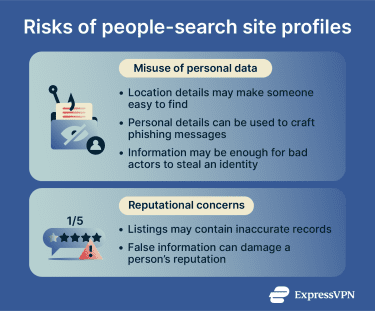
Privacy risks of leaving your profile online
MyLife profiles are publicly accessible. Anyone who searches for a name on the site can view the associated listing, and this creates privacy risks in two main ways.
The first is personal safety. A freely searchable home address, phone number, and list of relatives makes it easy for anyone to physically locate a person. Beyond that, this also means a person can be doxxed simply because their address and personal details are publicly available.
The second issue is fraud. A complete profile can provide bad actors everything they need to target a potential victim. A combination of name, address, phone number, and employment details makes it significantly easier to craft convincing phishing attempts and robocall campaigns, as well as many other types of impersonation scams.
Learn more: Read our detailed guide on how to detect and prevent phishing.
Accuracy and reputational concerns
MyLife profiles often appear in search engine results. This means someone searching your name may encounter the listing before other sources, and what they see might not always be accurate, according to the FTC's complaint against MyLife. The complaint alleged that the site's reports implied some people had criminal or sex offender records even when they didn't.
Also, a misleading score or background detail attached to a name can shape how someone is perceived before they've had any chance to correct it.
Financial and identity theft risk
A MyLife profile can contain enough detail for someone to impersonate a person, open financial accounts in their name, or gain access to existing ones. Identity theft can take months or years to resolve and can affect your credit, finances, and ability to secure housing or employment.
What removing your listing can and cannot do
Removing your MyLife profile stops visitors from finding your information through the site. What it won’t do is remove your information from public records or affect your listings on other people-search sites.
It also won’t immediately clear cached versions of your profile from search engine results. Cached results typically disappear once the source page is taken down, though the timeline depends on how frequently the search engine recrawls the page.
Finally, deleting a MyLife profile doesn’t guarantee your information won’t appear again in the future. The same data will likely reappear on MyLife over time because the site continuously scrapes public records and repopulates its database.
To automate the opt-out process and continuously monitor for new profiles appearing, consider a data removal service.
How to remove yourself from MyLife
MyLife provides an opt-out form through a “Do Not Sell My Personal Information” link on its homepage. Submitting this request removes your profile from MyLife’s public listings and asks the company to stop sharing your information.
- Go to mylife.com, enter your name in the search bar, and click Search.
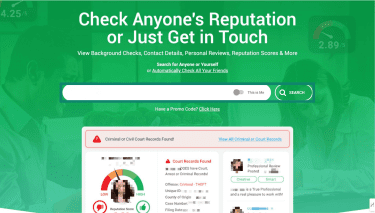
- If you have a common name, you can use location to narrow the results. Once you find your listing, right-click on your name and select Copy link address.
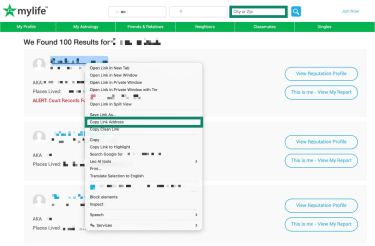
Tip: At this stage, it’s a good idea to save the URL of your profile. You can paste it into a notes app, a document, or even a text message to yourself. This will be useful later for checking whether the page has been taken down
- Scroll to the bottom of the MyLife homepage and click Do Not Sell My Personal Information.
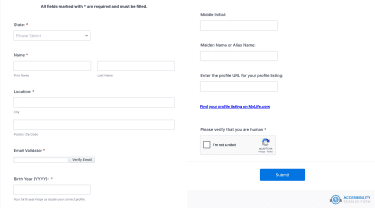
- Enter your first and last name, select your state, and paste the profile URL you copied. Provide your email address and click Verify Email to confirm it. Enter your birth year, then complete the CAPTCHA and click Submit. Only fields marked with an asterisk are required.
- After submitting the form, check your email for any follow-up instructions. MyLife may ask you to verify your request before processing it.
If the email doesn't arrive within an hour, check your spam folder. If it still hasn't appeared after 24 hours, resubmit the form. Once confirmed, save a screenshot of the confirmation as your record.
Related: How to delete yourself from internet
Alternative ways to opt out of MyLife
If the web form doesn't work or you'd rather not use it, MyLife accepts removal requests through other channels.
How to submit an email removal request
Send a request to membersupport@mylife.com. Include your full name, the URL of your MyLife profile, and a clear statement that you want your personal information removed.
If you're in a state with a consumer privacy law, such as the California Consumer Privacy Act (CCPA), referencing it in the email may strengthen the request. Ask for confirmation once the removal is complete.
You can also call 0808-234-6673, Monday through Saturday 9am–9pm PST. Phone requests can take more time but may be able to resolve situations where written submissions haven't produced results.
What to do if you can’t find your profile
If a search on MyLife doesn't return your name, try variations: different spellings, maiden names, or previous cities.
If no listing appears under any variation, you may not currently have a profile on MyLife. Your information could still appear on other people-search sites. ExpressVPN's free data exposure scan lets U.S. users check which data broker and people-search sites have their information listed, which can help identify listings you weren't aware of.
How long removal usually takes
MyLife doesn’t publish a standard processing timeframe on its website, but the confirmation page states that requests are processed within 15 business days. After submitting, it’s best to check your email for a confirmation and follow any instructions included.
If your profile is still visible after a few weeks, follow up on your request. Many U.S. privacy laws, including the CCPA, require companies to respond to verified requests within 45 days, though timelines can vary depending on the request.
How to check whether your listing is gone
Search your name directly on mylife.com to confirm the listing no longer appears. Use an incognito or private browser window to avoid cached results influencing what you see.
If your profile has been removed from MyLife but still appears in Google results, it might be that Google's index simply hasn't caught up yet. Click the link to confirm: if the page returns a 404 error or redirects, the profile is probably gone.
To speed up Google’s removal from the search results, you can use Google's Refresh Outdated Content tool, which lets you request that stale results be updated. If the page still exists, Google will deny the request. According to Google's own Search Console documentation, processing can take a few days.
Related: Google’s personal data removal tools
Additional steps beyond MyLife
MyLife is one of hundreds of people-search sites that draw from overlapping data sources. Removing your listing from one doesn't affect the others.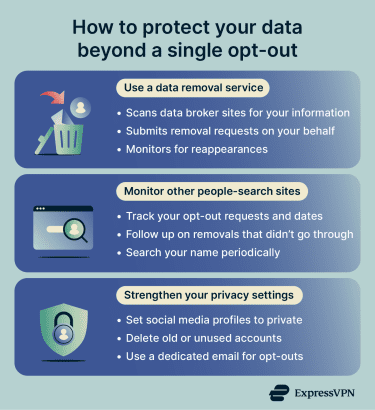
Use a data removal service
Submitting individual opt-out requests to every data broker is time-consuming, and many sites re-add profiles when they refresh their databases. A data removal service automates this by scanning for your information across multiple sites, submitting removal requests on your behalf, and monitoring for reappearances.
ExpressVPN's Data Removal service automatically scans data brokers and people-search sites for your information, submits removal requests when a match is found, and monitors for reappearances. The service is available to ExpressVPN Advanced and Pro subscribers in the U.S.
If you’re a California resident, you can use the California Privacy Protection Agency’s Delete Request and Opt-Out Platform (DROP), which is a free service that lets you submit a single deletion request to every registered data broker in California simultaneously. Brokers are required to begin processing those requests from August 1, 2026 onward.
Learn more: How to remove yourself from data broker sites
Monitor other people-search sites
If you're opting out manually, keep a record of which sites you've submitted requests to, along with dates and any confirmation details. This helps you track progress and follow up on removals that don't go through. Other common people-search sites with their own opt-out processes include Whitepages, Spokeo, BeenVerified, and Radaris.
Searching for your own name periodically across search engines can also help identify listings you weren't aware of.
Related: How to remove yourself from FastPeopleSearch
Strengthen your online privacy settings
Data brokers pull from publicly available sources. Reducing what's visible about you online can limit what they collect going forward.
- Review social media privacy settings: Set profiles to private or restrict who can see personal details like your location, birthday, and employer.
- Delete unused accounts: Old accounts on platforms you no longer use may still expose personal information. Removing them reduces your overall footprint.
- Use a dedicated email for opt-outs: This keeps your primary address out of new marketing databases.
- Limit public records exposure where possible: Some states offer confidentiality programs that allow voters to request that their registration details be kept from public disclosure. Availability and eligibility vary by state.
FAQ: Common questions about MyLife opt-out
Can MyLife add my information again after removal?
What should I do if MyLife does not remove my profile?
Can I remove a family member’s listing from MyLife?
Will removing my MyLife profile delete my information from Google?
Do I need to contact other people-search sites separately?
Take the first step to protect yourself online. Try ExpressVPN risk-free.
Get ExpressVPN